
Chair: Difference between revisions
Ayjayaredii (talk | contribs) m Updated |
No edit summary |
||
| Line 1: | Line 1: | ||
[[File:Office Chair.jpg|300px|thumb|The Default/Office Chair design, the most common found on [[Magellan Class]] vessels]] | |||
A '''chair''' is a piece of furniture designed for one person to sit on. They are often found at stations where an member of crew is posted or in places designed for either professional or social meetings. Depending on the station placed at, chairs are either stationary (as seen on a bridge station) or moveable (as seen in offices and meeting rooms). | A '''chair''' is a piece of furniture designed for one person to sit on. They are often found at stations where an member of crew is posted or in places designed for either professional or social meetings. Depending on the station placed at, chairs are either stationary (as seen on a bridge station) or moveable (as seen in offices and meeting rooms). | ||
| Line 9: | Line 9: | ||
Alternatively, in current builds, it is possible to spawn an NPC on a bridge station's chair. This can be achieved by looking at the chair and selecting [Summon an NPC] from the Radial Menu (default <code>F</code>). When an NPC is summoned, they can be dismissed by selecting [Dismiss NPC] from the Radial menu. | Alternatively, in current builds, it is possible to spawn an NPC on a bridge station's chair. This can be achieved by looking at the chair and selecting [Summon an NPC] from the Radial Menu (default <code>F</code>). When an NPC is summoned, they can be dismissed by selecting [Dismiss NPC] from the Radial menu. | ||
==Gallery== | |||
<gallery> | |||
Bridge Chair.jpg|The chair design for [[Bridge]] stations | |||
Desk Chair.jpg|The chair design for office desks | |||
VIP Lounge Chair.jpg|The chair design for the [[VIP Lounge]] | |||
</gallery> | |||
[[Category:Props]] | [[Category:Props]] | ||
Revision as of 11:30, 29 March 2026

A chair is a piece of furniture designed for one person to sit on. They are often found at stations where an member of crew is posted or in places designed for either professional or social meetings. Depending on the station placed at, chairs are either stationary (as seen on a bridge station) or moveable (as seen in offices and meeting rooms).
Overview
Chairs can be found in multiple rooms onboard a Magellan Class starship. Stationary chairs are found at all bridge stations, such as the Command Chairs, the Helm or the Sensors Station, and the VIP Lounge. Office chairs can be found in the Conference Room, the Captian's Office and the XO's Offices.
Interaction
A player or character must sit in a chair to either interact with a station more clearly or for formality in a meeting. To sit in a chair, the player must look at it in their cursor and press Left Moue Button. Whilst sat, the player take a lower point of view. To leave the chair, the player must press the Jump Key (default Space Bar).
Alternatively, in current builds, it is possible to spawn an NPC on a bridge station's chair. This can be achieved by looking at the chair and selecting [Summon an NPC] from the Radial Menu (default F). When an NPC is summoned, they can be dismissed by selecting [Dismiss NPC] from the Radial menu.
Gallery
-
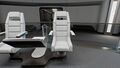 The chair design for Bridge stations
 -
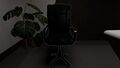 The chair design for office desks
 -
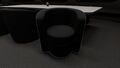 The chair design for the VIP Lounge


