
Help:Manual of Style
Our Manual of Style is our standards for editing the Starship Simulator Wiki. It presents how we write pages, how we format their content, the images we present and general policy regarding editing. We recommend potential editors read the page before editing to the wiki.
Titles, Headings and Sections
Titles
Titles are the page name and how it is found on a page. They are used the search bar to find the page and generally sorted A-Z in categories. A page must have a title before it can be created. Capital letters must feature at the beginning of the title and at the start of a new word in it.
If two pages share the same name, they are divided and sorted by adding brackets () into the title. For example, Sirius could refer to the star Sirius or its star system of Sirius. As such, we'd use Sirius (star) to refer to the Star whilst we'd use Sirius (star system) to refer to the star system.
Headings
Headings are used to break up sections in a wiki page. They are used to separate section and navigate a page's info. We recommending including headings if the page covers multiple topics. For example, the page on the Magellan Class starships include Layout, Decks and Development sections.
Headings can be inserted by writing a word on a new line and inserting == on either side of the word/phrase. For example: ==Gameplay== creates a Gameplay heading, which we can use as the head of a section regarding gameplay information.
Subheadings break up sections of a page further, adding sections within section. These can be inserted by adding additional = to either side of the sub heading. Subheadings will be grouped to the top-level heading. For example, if ===Behaviour=== was incorporated after ==Gameplay== but before ==Lore==, it will be incorporated into the Gameplay section. We'd incorporating subheadings when content is more than detailed and requires breaking up, such splitting the Lore section into History, Culture and Notable Members subheadings.
Headings will be recorded in the page table of contents, found just before the first head was made on page. This will display all headings found on the page, sort them by numbers and can be clicked to take the user to the section. A table of contents will automatically generate if the page has more than four headings or subheadings.
Section Organisation
Generally, sections will be organised to make it but clearly separated.
| Section | Contents and coverage |
|---|---|
| Introduction | What is the page about? What is its basic description? What information can be used to summarise it quickly? |
| Gameplay | How does the feature work in the game? What is it's function? How does it react to the player? Who will generally use it? |
| Lore | What is the in-universe explanation for the feature? When was it discovered or developed? How advanced is it for humans to use it? Or, if it's an alien lifeform, what is their history and when did we encounter them? |
| Development | How was it implemented into the game? What has changed since its initial development? |
| Trivia | Are there any small facts about the feature which cannot be fitted into any other section? |
Formatting
Language
Please use English only on our standard pages. We're flexible when it comes to terminology and spelling but, since Starship Simulator is developed in England and uses the Commonwealth English, we will prioritise that version of the language. For example, "lift" (the Commonwealth term) is prioritised over "elevator" (the American term). Some words will be spelled slightly differently such as "ou" in terms that might only use "o" in American terms, for example: "armoured" instead of "armored". Likewise, "s" would appear in terms that, in American standard, would use "z" instead, such as "realise" instead of "realize".
If something is given a non-English term or name in-game, this is what it's called on the wiki. For example, the Caravella class is derived from the Italian version of "Caravel", an English term for the phrase. However, due to the in-game lore suggesting that the Italian name is used, we use "Caravella" rather than "Caravel", since it will conflict with the game information.
Letter Formatting
This may seem inconsequential but, as an English language-based wiki, we'd ask users to write in the modern English alphabet; A/a, B/b, C/c, D/d, et al. This is due to the wiki's use of the language and its conventions as default, and most of our audience speaking the language. This includes both the body of text and the headings for pages. Use of other language alphabets are allowed on pages with the language namespace, for example Zh: is for Simplified Chinese (简体中文) whilst Ru: is for Russian (русский).
In most cases, we'd ask that you write sentences in the lower case. However, it looks better to have capital letters where appropriate. These must be used at the start of a sentence to emphasise its beginning, in the same way a full stop is used to dictate its end. Capitals also need to be used at the beginning of a name/title, such as Dan Govier or Fleetyard Studios. However, capitals cannot be used at the beginning of every word, as it will become excessive and off-putting to readers, for example "the Captain of the Magellan" is technically more appealing than "The Captain Of The Magellan".
Punctuation
Punctuation is important for sentence formatting and structure. They each have different uses to break up sentences and format their information. Punctuation look makes sentences look more appealing to readers, as they will typically maintain interest if it is shorter or broken up effectively. A long-winded sentence which maintains a constant format will likely lose reader interest and make pages look unappealing. The following are types of punctuation used and examples of how they are used in sentences.
| Name | Appearance | How it is used |
|---|---|---|
| Full Stop | . | Full stops are used end a sentence like this. However, ending a sentence with three indicates there is more information you can give... ...and start again on the next sentence. |
| Comma | , | A comma can be used to add details to a sentence, often towards the end. It can, in the middle, interrupt like this. If at the start, it can set up the contents of a sentence. Or it could be make to make a list, such as one, two, three, and four. |
| Apostrophe | ' | Apostrophes can be used to indicate something's description or item, such as the Magellan's captain or Jones's tail. Or it can be used as a part of a word which is a shortened version of a phrase, such as don't (do not) or it's (it is). |
| Question Mark | ? | Would you put this at the end of a sentence when asking a question? |
| Explanation Mark | ! | Explanation Marks are used at the end of a sentence if you're trying to make a point stick out! Generally, we don't usually use this one since a full stop is generally neater, but explanation marks are used in wiki syntax. |
| Colon | : | A colon is often used if a sentence is making two points: therefore is probably rarely used in sentence texts. Mostly: it is used in a list to give a point and then add a description. |
| Slash | / | A slash is generally used if something/someone is referred to in alternative ways. |
| Quotation Mark | "" | "Quotations are used to indicate someone's speech in text" said the writer of this page. |
| Hyphen | - | Hyphens are rarely used but often to add a prefix or suffix that does not feature in an English word. |
| Semi-Colon | ; | Semi-Colons are used similar to commas as they often used to join two different points in a sentence; so they might not be used as often as commas. Alternatively, they can be used in lists, for example: 1, 1.2, 1.5; 2.3, 2.45, 2.852; etc. |
| Brackets | () | Brackets can be used to add information into a sentence (or information that seems relevant but not useful to the sentence). |
Special Characters
There are characters which are used in text for purposes. Though technically, they often serve a purpose, such as denotating a mathematical function or indicating if something does not fit the traditional linguistic style. The following are used in the wiki.
| Name | Appearance | How it is used |
|---|---|---|
| Currency | Various, but notably: £ (Stirling Pound) $ (Dollar) € (Euro) |
Dictates a currency and their format, £200 (two hundred British Pounds) |
| Decimal Point | . | Used to break up numbers, such as 2.82. |
| Asterisk/Star | * | There are various usages, but often indicates if a word or name is conjectural, for example the black hole Sagittarius A* |
Date/Time
Date and time presentation varies across the world. On the wiki, we use the numerical form in yyyy-mm-dd.
yyyy represents the year, such as 2025. mm represents the month, which is represented below. dd represents the day in the month, such as 1st (01), 13th (13) and 22nd (22). As an example, the 17th July 2025 would be presented as 2025-07-17.
The table below presents the numerical value of each month and the maximum days each one has.
| Month | Values | Maximum Days |
|---|---|---|
| January | 01 | 31 |
| February | 02 | 28/29 (leap year) |
| March | 03 | 31 |
| April | 04 | 30 |
| May | 05 | 31 |
| June | 06 | 30 |
| July | 07 | 31 |
| August | 08 | 31 |
| September | 09 | 30 |
| October | 10 | 31 |
| November | 11 | 30 |
| December | 12 | 31 |
Citations and Source
Citations are the term given to notes and sources, often included at the end of articles and documents to cite third-party references for their information. Most wikis incorporate them by writing <ref>URL/Source link</ref>. A reference section will appear, with placement with <references /> dictating where it is presented.
Due to this wiki's reliance on in-game material, citations are almost impossible to implement at this current time. As a procedurally generated game, some planets and star systems may appear on one player's game but not during another player's experience. A vast majority of wiki pages and material will require research and experimentation in-game.
Citing the Starship Simulator Discord Server is discouraged, as this is only accessible to users who have joined via the invite method. As a wiki viewable by anyone, we'd ask users not to cite them due to exclusion of non-Discord members.
All information for this wiki must come from either the game itself or members of Fleetyard Studios. If it comes from another source, then it cannot be treated as a reliable. Any material that does not come from either Starship Simulator or its developers will be treated as misinformation and third-party speculation, therefore will be excluded from this wiki.
Links
Links are important for navigation on both wikis and the world wide web. If correctly input, they will take the user to a new web page when they are clicked on. On wikis, links serve as one of the main forms of navigation.
To add links to a wiki page, please use [[Page Title]] to create a link to the wiki page. For example, [[Magellan Class]] will create Magellan Class, linking to the page. If you wish to use it on text, you can create a mask for the text with [[Page Title|Link mask]]. As an example, [[Sol|Earth's sun]] will create this link: Earth's sun.
If linking to an external page, we'd use the full URL address of the page and add a mask. [https://[url-address] Mask]. As an example, [https://starshipsimulator.co.uk/ the Starship Simulator website] creates a link to the Starship Simulator website.
Alternatively, some pages may exist on other sites like Wikipedia, which are linked to via the MediaWiki software. To create links to these, type in [[Wikipedia:Target|Mask]] to create a link. Just for an example, [[Wikipedia:Six degrees of freedom|this page on Wikipedia]] will create a link to this page on Wikipedia.
Media
Images

Images are allowed and encouraged to feature on the wiki pages. They provide visuals to pages, showing the user what something looks like rather than telling a description and expecting them to know what it is when they find or view it. They also provide visual stimuli, making them look more interesting and grabbing interest.
Images can be implemented by uploading them to the wiki via the "Upload file" found in our heading (left side of the page). To implement them, type in [[File:Image name.format|thumb|Caption for the image]] into the page. format signifies the image format, which is required to identify the image's type. Examples of this include .png, .jpg, or .gif. We encourage users to include |thumb| in the syntax, as it makes it a thumbnail separate from the main body of writing and means text is uninterrupted by its placement. Captions can be used to describe the image content, describing to the user what exactly they are looking at.
Further formatting can be included, such as the image display. Adding |right/left/centre| will alter the position of the image, such as whether it is displayed on the right hand side, left hand side or in the centre of the page. Adding |[num]px| will alter the images size display, ensuring it remains at a chosen resolution. As an example, |300px| will make the image show at 300 pixels on the default page.
As a demonstration, the syntax [[File:UNSF Logo Transparent Black.png|300px|thumb|right|The UNSF insignia in the colour black]] was used to incorporate the image you see to your right onto this page. This includes an image, the chosen resolution, its status as a thumbnail, its display on the right-hand side of the page, and a caption describing the image.
Templates
Template are pages which are invoked on other pages. There are various reasons to use them, such as presenting data in a way which is more interesting that text, adding notices to pages, or presenting information that can be used on multiple pages.
Using Templates
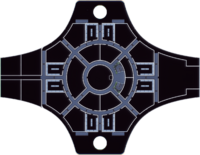
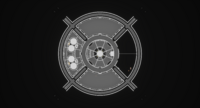
To add a template, add the name and surround it with {{}}. For example, {{UNSF Magellan Decks}} created the template you see below to this section.
| UNSF Magellan Ships | |||||||||||||
|---|---|---|---|---|---|---|---|---|---|---|---|---|---|
| A Deck | B Deck | C Deck | D Deck | E Deck | F Deck | G Deck | |||||||
| File:Magellan adeck.png | 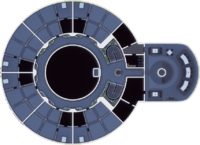 |
 |
 |
File:Magellan edeck.png |  |
| |||||||
| Key locations | |||||||||||||
|
Command Functions |
Administration & Accommodations |
Primary Science facilities |
Upper Habitation and Recreation
|
Lower Habitation and Ship Services
|
Upper Engineering |
Lower Engineering | |||||||


Some templates will require data to show certain features. This can be incorporated by placing | after the template's name but before the closing brackets (}}). Some templates may require a certain parameter to use a feature. If a template has these, it will require |[parameter name]=[value/text] to feature it.
Creating Templates
To create a template, a new page must be created with the Template: namespace. This contains the formatting and syntax required to manage the template's display. The page will remain the same regardless of where it is used or be coded to include parameters to feature on the page.
Before you incorporate a template, we'd ask you create it in your sandbox to style and format it before it is incorporated into the wiki. This can be done by creating a page and titling it User:[YourUsername]/Sandbox. This creates a sandbox to format and test the template in a controlled environment, making sure it doesn't affect other wiki pages. Once finished, the page can be copied over to the namespace and published. We'd also suggest getting feedback before incorporating new templates into the wiki, ideally from other users.
Incorporating Media Wiki templates
Some templates are available or widely used by Media Wiki services. However, they may not be incorporated into the Wiki either due to regulations. To incorporate these, please contact though Discord. Please provide a Media Wiki page on the template and an explanation for why it could be helpful to incorporate the template.